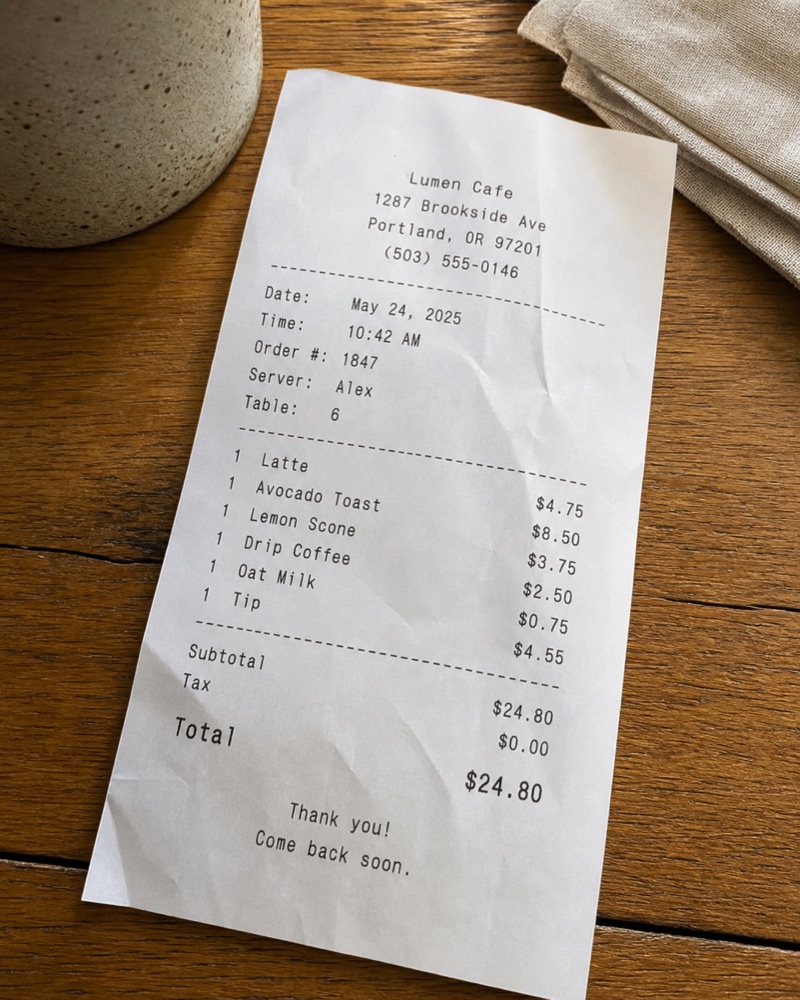
Lumen CafeExpense · ready to review
Amount$22.50
DateToday, 12:48 PM
CategoryFood & dining
AfterSnap turns what you see into contacts, events, notes, expenses, reminders, and more—with less typing and one clear next step.
AfterSnap recognizes the useful part of a photo or screenshot and gives you the action that fits.
Turn business cards and signatures into editable contact details, ready to add.
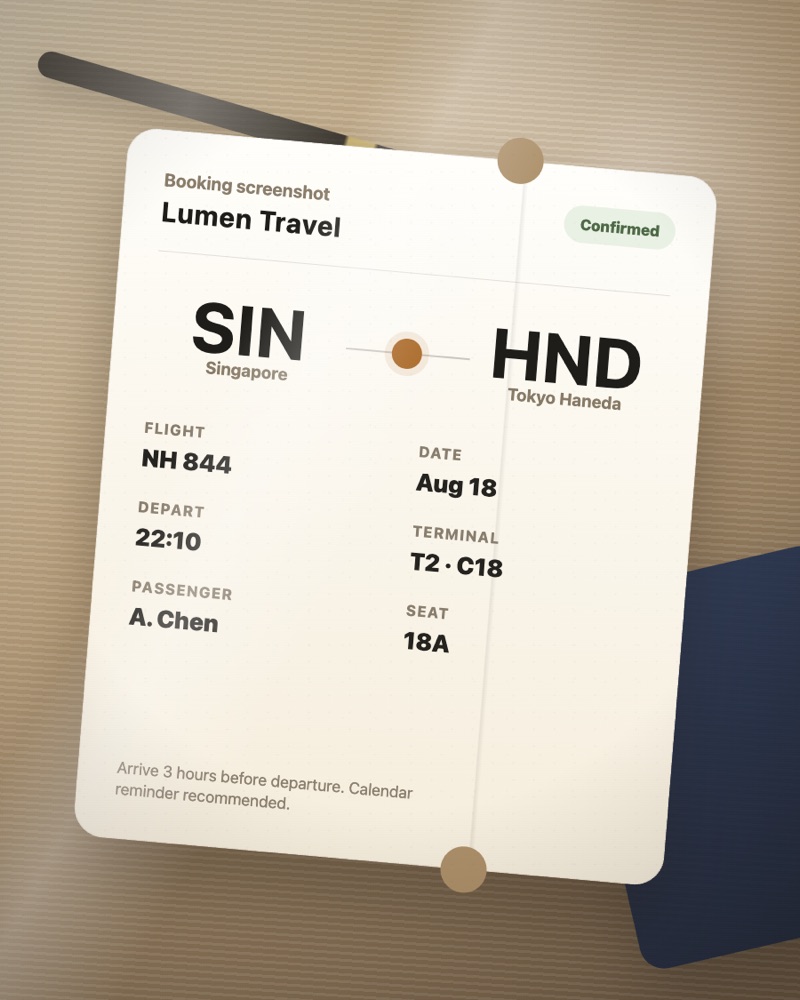
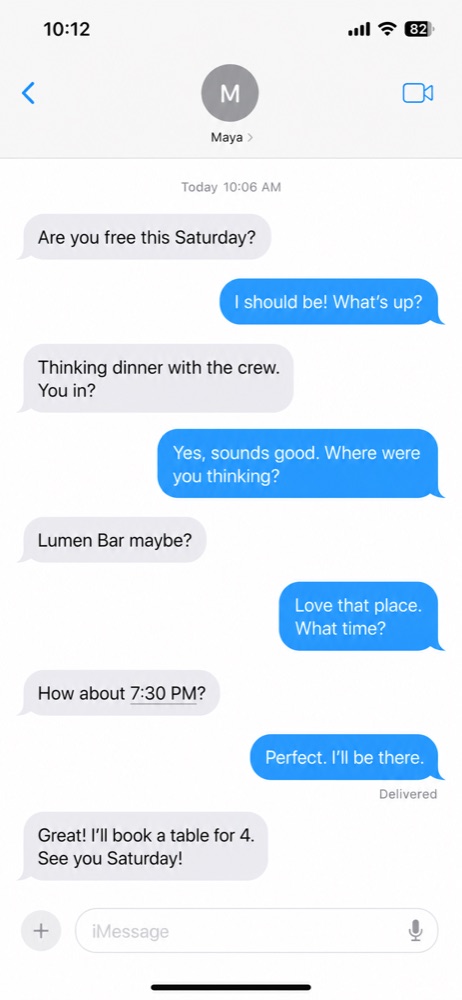
Pull dates, times, places, and details from posters, bookings, tickets, and chat plans.
Make a reminder from medicine labels, handwritten todos, and anything you need to remember.
Capture merchants, totals, dates, and line items from receipts or price tags.
Keep the useful words from whiteboards, menus, documents, and screenshots—without retyping them.
Join a network from its label, or understand foreign signs and menus while you are out.
Take a photo, import one from Photos, or use a screenshot you already have.
It isolates the subject, recognizes what matters, and prepares the right fields.
Review the result, make any edits, then save it where it belongs.
You choose what AfterSnap processes. Recognized results and your edits are stored on your device. Cloud recognition is used only to complete your request; your content is not sold, used for ads, or used to train models.
Read the Privacy PolicyNo. AfterSnap shows you the recognized result and suggested action first. You can review and edit details before saving.
Business cards, posters, bookings, tickets, chat plans, medicine labels, todos, receipts, price tags, whiteboards, menus, documents, Wi-Fi labels, and foreign signs are all useful inputs. AfterSnap does not process government IDs or bank cards.
Recognized results and edits are stored on your device. When you approve an action, its output may be saved to the relevant iOS app, such as Contacts, Calendar, or Reminders.
Yes. The free tier includes 15 successful captures each month. AfterSnap Plus is an optional auto-renewable subscription with unlimited captures.
AfterSnap for iPhone is on the App Store.